Windows Update Blocker 1.8 โปรแกรม ปิด / เปิด อัปเดท Windows ฟรี
ดาวน์โหลด โปรแกรม Windows Update Blocker v1.8 โปรแกรมปิด / เปิด อัปเดท Windows รองรับ Win 10 / 11 ฟรี

ดาวน์โหลด Windows Update Blocker 1.8 โปรแกรม ปิด / เปิด อัปเดท Windows ฟรี
Windows Update Blocker เป็นโปรแกรมปิด / เปิด อัปเดท Windows สามารถปิดใช้งานคุณสมบัติการอัพเดทอัตโนมัติของ Windows ได้อย่างถาวร รองรับตั้งแต่ Windows XP ไปจนถึง Windows 10 และ 11 รุ่นล่าสุด โปรแกรมนี้ไม่จำเป็นต้องติดตั้งโปรแกรมลงเครื่องแต่อย่างใด เนื่องจากเป็นรูปแบบ Portable ช่วยปิดการอัพเดท Windows ได้อย่างง่ายดาย พร้อมการรองรับภาษาไทย และตัวเลือกการอัปเดตอื่นๆ อีกมากมาย มีอินเทอร์เฟซที่เรียบง่าย ไม่ซับซ้อน ช่วยให้ง่ายต่อการเรียนรู้การใช้งาน แม้ไม่เคยใช้งานมาก่อน
Supported :
- Windows 11 , Windows 10, Windows 8.1 , Windows 8 , Windows 7 , Windows Vista ,Windows XP (32\64-bit).
คุณสมบัติเด่น (Key Features)
- Disable Windows Auto Update.
- Full support for Windows 10 / 11
- Easy to use.
- No need to install.
- Small size.
- And more.
Whats New ?
- 1.[FIXED] – Only 25 services can be restricted from the ini file
- 2.[ ADDED ] – The Task Scheduler section has been rewritten. (determined from ini file)
- 3.[ ADDED ] – Option to block Process (application) from ini file
- 4.[ ADDED ] – Some code Improvements
ภาพตัวอย่างโปรแกรม (Screenshots)
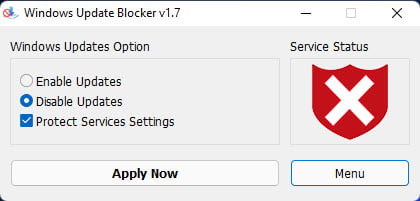
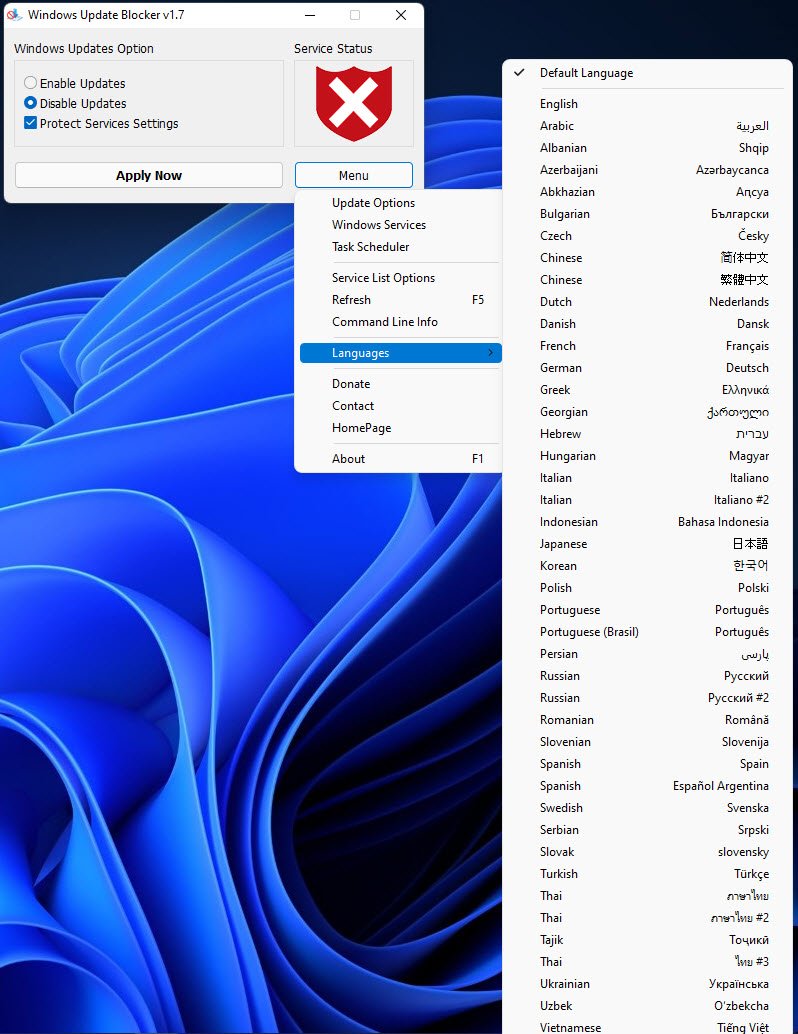
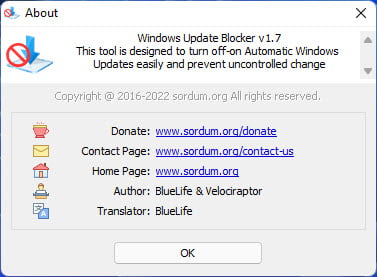
ความต้องการของระบบ (System Requirements)
Windows 11 , Windows 10, Windows 8.1 , Windows 8 , Windows 7 , Windows Vista ,Windows XP (32\64-bit).
No special requirements
ข้อมูลไฟล์ (File Info)
Official Website : www.sordum.org
License : Freeware
Software Version : 1.8
ชื่อไฟล์ : Windows Update Blocker 1.8.rar
ขนาดไฟล์ : 1.88 MB
นามสกุลไฟล์ : *.rar
Server : Send.cm Anonfiles
วันที่อัพโหลด : 10/06/2023
แก้ไขล่าสุด : 10/06/2023
รหัสผ่าน :
License : Freeware
Software Version : 1.8
ชื่อไฟล์ : Windows Update Blocker 1.8.rar
ขนาดไฟล์ : 1.88 MB
นามสกุลไฟล์ : *.rar
Server : Send.cm Anonfiles
วันที่อัพโหลด : 10/06/2023
แก้ไขล่าสุด : 10/06/2023
รหัสผ่าน :
กำลังโหลดโฆษณา...
โปรดระวังโฆษณาเด้งไปหน้าอื่น เช็คชื่อไฟล์, ขนาดไฟล์ ก่อนดาวน์โหลดทุกครั้ง
ดาวน์โหลด
วิธีดาวน์โหลด วิธีแก้ลิ้งค์เกินโควต้า