Windows 11 Pro 25H2 Build 26200.5074 (No TPM) Preactivated (Release Preview) วินโดวส์ 11 ล่าสุด
ดาวน์โหลด Windows 11 Pro 25H2 Build 26200.5074 (No TPM Required) Preactivated (Release Preview) วินโดวส์ 11 รุ่น 25H2 ล่าสุด ฟรี

ดาวน์โหลด Windows 11 Pro 25H2 Build 26200.5074 (No TPM) Preactivated (Release Preview) วินโดวส์ 11 ล่าสุด
Windows 11 Pro 25H2 – เมื่อวันที่ 29 สิงหาคม 2025 Microsoft ได้เปิดตัว Windows 11 เวอร์ชัน 25H2 (อัปเดต 2025) รุ่นพรีวิวอย่างเป็นทางการครั้งแรกใน Release Preview Channel ของโปรแกรม Windows Insider การอัปเดตนี้กำลังเปิดตัวเป็นแพ็กเกจการเปิดใช้งานสำหรับอุปกรณ์ที่ใช้เวอร์ชัน 24H2 อยู่แล้ว
Windows 11 เวอร์ชัน 24H2 และ 25H2 ใช้ไฟล์ระบบและสถาปัตยกรรมพื้นฐานเดียวกัน ซึ่งหมายความว่าไม่จำเป็นต้องติดตั้งใหม่หรือเปลี่ยนระบบปฏิบัติการหลักเพื่อสลับไปมาระหว่างเวอร์ชันทั้งสอง แทนที่จะส่งมอบการอัปเดตขนาดใหญ่ที่มีฟีเจอร์ครบครัน ยักษ์ใหญ่ซอฟต์แวร์เพียงแค่ “พลิกสวิตช์” ด้วยแพ็กเกจการเปิดใช้งานขนาดเล็กที่เปิดใช้งานฟีเจอร์ 25H2 ที่มีอยู่ใน 24H2 ซึ่งทำให้การอัปเดตเร็วขึ้น มีความเสี่ยงน้อยลง และย้อนกลับได้ง่ายขึ้น
การส่ง 25H2 ไปยัง Release Preview Channel ก่อนจะช่วยให้ Microsoft ได้รับคำติชมเกี่ยวกับฟีเจอร์ใหม่ ความเสถียร และความเข้ากันได้จากกลุ่มผู้ทดสอบจำนวนมากแต่ยังคงควบคุมได้ ก่อนที่จะเผยแพร่สู่สาธารณะ นอกจากนี้ Release Preview Channel ยังเป็นช่องทางสุดท้ายก่อนที่จะเปิดให้ใช้งานทั่วไป ดังนั้น การเปิดตัว 25H2 จึงเป็นสัญญาณว่าใกล้ถึงเวลาเปิดตัวเวอร์ชันสุดท้ายแล้ว และช่วยให้ Microsoft สามารถทดสอบการให้บริการ การอัปเดตแบบสะสม และไฟล์ ISO ก่อนที่ทุกคนจะได้รับ
ในช่วงต้นเดือนกันยายน บริษัทจะปล่อยไฟล์ Windows 11 25H2 ISO รุ่นตัวอย่างอย่างเป็นทางการ ซึ่งคุณสามารถใช้เพื่อติดตั้งระบบปฏิบัติการใหม่ทั้งหมดได้
Information
- Version: Windows 11 Pro 25H2 Build 26200.5074 (No TPM Required) Preactivated (Release Preview)
- Architecture: 64 Bit
- Official website: www.microsoft.com/en-us/windows
Editions Includes
- – Windows 11 Pro
คุณสมบัติเด่น (Key Features)
-
Continuous Innovation Model: The update does not introduce a large number of new features all at once. Instead, new features are being delivered continuously to both Windows 11, version 24H2 and version 25H2 through monthly updates.
-
Enablement Package (eKB): The 25H2 update is delivered as a lightweight enablement package. This “flips the switch” to enable features that have already been staged on the user’s PC through regular monthly cumulative updates.
-
Faster Installation: Because it is an enablement package, the installation process is quick and requires minimal downtime.
-
Feature Removals: Windows 11, version 25H2 removes PowerShell 2.0 and Windows Management Instrumentation command-line (WMIC) for security reasons.
-
New Features (Delivered via Monthly Updates):
-
Braille Viewer in Narrator: A new feature that provides an on-screen textual and Braille representation of output shown on a refreshable Braille display.
-
“Click to Do” Improvements: This feature (available on Copilotพร้อม PCs) now includes new actions like “Convert to table with Excel” and “View Microsoft 365 Profile Cards.”
-
Windows Share: New “Find apps” option in the Windows Share interface to easily find and download apps from the Microsoft Store.
-
Start Menu Changes: The Start menu now has a new “All” section to access all installed apps without opening a separate page.
-
Refreshed Settings: Several time and language settings have been ported from the Control Panel to the Settings app.
-
Other UX improvements such as a refreshed mobile device companion, a redesigned dialog for when an app can’t open, and performance improvements to File Explorer.
-
-
Commercial Customer Feature: IT administrators can now remove select pre-installed Microsoft Store apps on Enterprise and Education devices using Group Policy or MDM CSP.
-
Support Lifecycle Reset: The release of 25H2 resets the support lifecycle. Consumer and Pro editions get 24 months of support, while Enterprise and Education editions get 36 months.
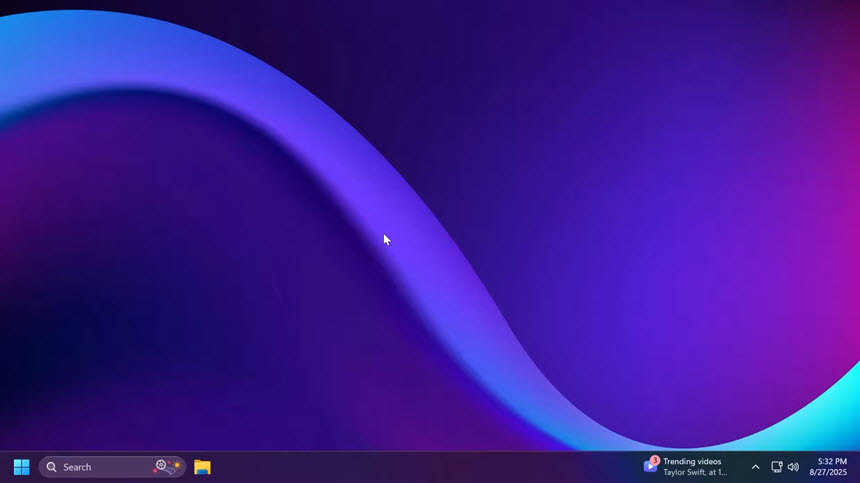
ภาพตัวอย่างโปรแกรม (Screenshots)
ความต้องการของระบบ (System Requirements)
RAM: 4 GB or more
Storage: 64 GB storage device or more
System Firmware: UEFI, Secure Boot Support
TPM: Trusted Platform Module (TPM) version 2.0
Graphics adapter: DirectX 12 / WDDM 2.x compatible graphics adapter.
Display: >9″ HD (720p)
Internet connection: Installing Windows 11 Home requires a Microsoft account and an Internet connection.
ข้อมูลไฟล์ (File Info)
License : Trial
Software Version : Windows 11 Pro 25H2 Build 26200.5074 (No TPM Required) Preactivated (Release Preview)
ชื่อไฟล์ : W11P25H2B26200.5074(NTPMR)P(RP).rar
ขนาดไฟล์ : 5.87 GB
นามสกุลไฟล์ : *.rar
Server : Google Drive
วันที่อัพโหลด : 02/09/2025
แก้ไขล่าสุด : 02/09/2025
รหัสผ่าน : sbz
โปรดระวังโฆษณาเด้งไปหน้าอื่น เช็คชื่อไฟล์, ขนาดไฟล์ ก่อนดาวน์โหลดทุกครั้ง
ดาวน์โหลด
รหัสแตกไฟล์คือ sbz
วิธีดาวน์โหลด วิธีแก้ลิ้งค์เกินโควต้า
" This file is for trial/educational and non-commercial use only. Using non-genuine software may cause various problems to use this software without any problems Please purchase a genuine license from the official website. "