Parallels Desktop Business Edition 18.0.2 จำลอง Windows บน Mac
ดาวน์โหลด โปรแกรม Parallels Desktop Business Edition 18.0.2 (macOS) โปรแกรมจำลอง Windows บน Mac ฟรี

ดาวน์โหลด Parallels Desktop Business Edition 18 ล่าสุด จำลอง Windows บน Mac
Parallels Desktop 18 เป็นโปรแกรมสำหรับจำลอง Windows บน Mac (Macintosh) สามารถรันระบบปฏิบัติการอื่น ๆ ไปพร้อม ๆ กับ macOS ได้ โดยโปรแกรมนี้จะคล้ายกับโปรแกรม VMware (วีเอ็มแวร์) ของ Windows นั่นเอง Parallels Desktop for Mac พัฒนาเพื่อรองรับการติดตั้ง Windows 10 ได้ สามารถตั้งค่าการแบ่งหน่วยความจำไปยังส่วนของการใช้งานวินโดว์ได้อีกด้วย ด้วยคุณสมบัติเจ๋ง ๆ นับร้อยและเครื่องมือเพิ่มเติมสำหรับการใช้งานทั้งบน Mac และ Windows มาพร้อมกับอินเทอร์เฟซที่เรียบง่าย พร้อมด้วยเครื่องมือและฟังก์ชั่นในการใช้งานที่มีประสิทธิภาพมากมาย
Supported Operating Systems for virtual machines :
- Windows 11 (New !)
- Windows 10
- Windows 8.1
- Windows 8
- Windows Server 2012 R2
- Windows 7 (SP0-SP1)
- Windows Server 2008 R2 (SP0-SP2)
- Windows Vista Home, Business, Ultimate, Enterprise (SP0-SP2)
- Windows Server 2003 R2 (SP0-SP2)
- Windows XP (SP0-SP3)
- Full OS Supported List Click Here
คุณสมบัติเด่น (Key Features)
- Easy to use
- Fast, Powerful and Easy
- Develop & test across multiple OSes in a virtual machine for Mac
- Access Microsoft Office for Windows and Internet Explorer
- Fast—run Windows apps without slowing down your Mac
- Quickly move files, apps and more from a PC to a Mac
- Ultimate Flexibility
- Touch Bar
- Works with Boot Camp
- One-Click Tuning
- Office 365 Integration
- Save Disk Space
- Retina Display Support
- Instant Access
- Parallels Toolbox
- Remote Access
- Travel Mode
- And more.
What’s new in Parallels Desktop ?:
- Lightning fast
- Better Graphics Performance
- Smooth Windows UI and video playback.
- Optimized for Windows 11 and macOS Monterey.
- Support for macOS Monterey.
- Reinvented for Apple M1 and Intel-based Mac Devices
- Powerful new features introduced for Apple M1 Mac
- Enhanced Desktop, Video and Gaming Experience
- Enhanced Experience in Coherence Mode
- Seamlessly Drag and Drop Content Between Apps and OSs
- Enhanced USB Support
- Better Disk Space Control
- Copy and Paste Unformatted Text
- Enable Mac Option key to work as AltGr in Windows 10
- Multimonitor support for Linux
- Automatically Optimize Virtual Machines for Peak Performance
- Other bug fixes and improvements.
ภาพตัวอย่างโปรแกรม (Screenshots)
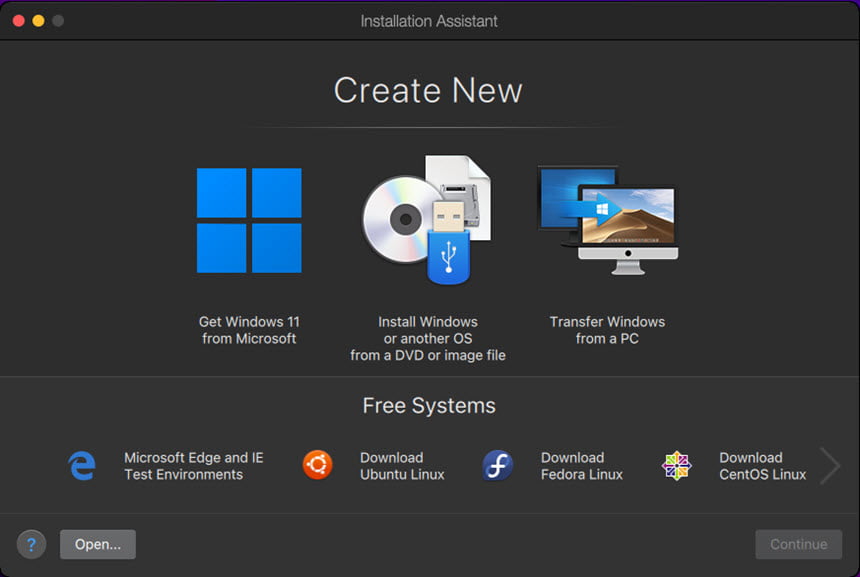
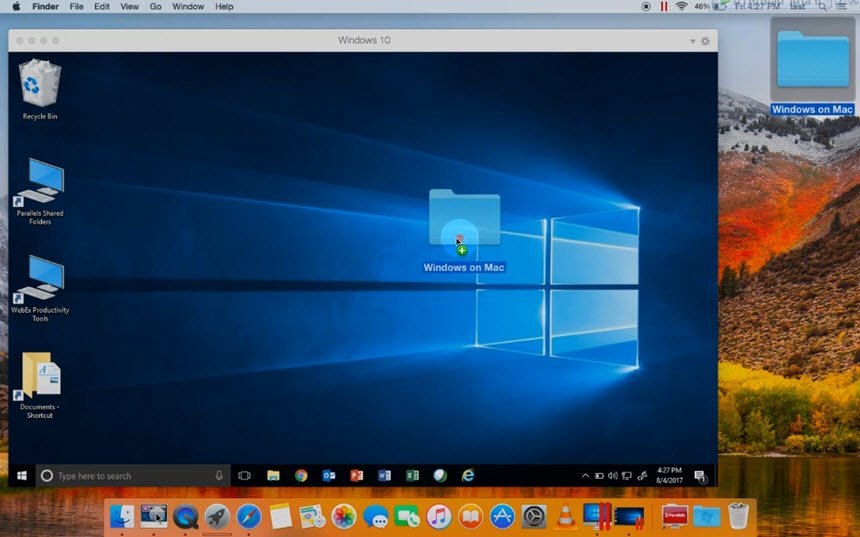
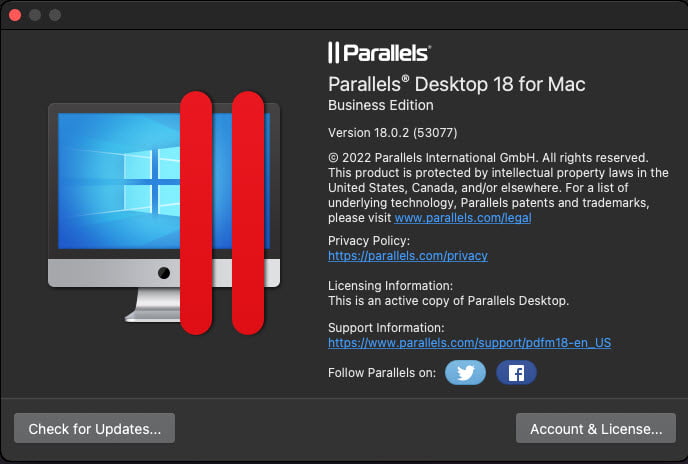
ความต้องการของระบบ (System Requirements)
macOS Ventura 13.0
macOS Monterey 12.4 or newer
macOS Big Sur 11.6.7 or newer
macOS Catalina 10.15.7 or newer
macOS Mojave 10.14.6 or newer
Processor : Apple M2, M1 Ultra, M1 Pro, M1 Max, and M1 chips, Intel Core 2 Duo, Core i3, Core i5, Core i7, Core i9, Intel Core M or Xeon processor
Memory : 4 GB of RAM
Storage : 600 MB for Parallels Desktop application installation
Additional disk space for the guest operating system (at least 16 GB is required for Windows OS)
Graphics : Apple M2, M1 Ultra, M1 Pro, M1 Max, and M1 chips
Intel, AMD Radeon, or NVIDIA graphics cards
Full System Requirements
ข้อมูลไฟล์ (File Info)
License : Trial
Software Version : 18.0.2 (53077)
ชื่อไฟล์ : PD.v18.0.2.zip
ขนาดไฟล์ : 338 MB
นามสกุลไฟล์ : *.rar
Server : Send.cm Google Drive
วันที่อัพโหลด : 19/10/2022
แก้ไขล่าสุด : 19/10/2022
รหัสผ่าน : sbz
โปรดระวังโฆษณาเด้งไปหน้าอื่น เช็คชื่อไฟล์, ขนาดไฟล์ ก่อนดาวน์โหลดทุกครั้ง
Buy
ดาวน์โหลด
รหัสแตกไฟล์คือ sbz
วิธีดาวน์โหลด วิธีติดตั้ง วิธีแก้ลิ้งค์เกินโควต้า
" This file is for trial/educational and non-commercial use only. Using non-genuine software may cause various problems to use this software without any problems Please purchase a genuine license from the official website. "
🗨 JOIN OUR COMMUNITY
บทความที่เกี่ยวข้อง
GET GET GET GET GET GET