Kubernetes & Docker: The Complete Hands-On Guide
ดาวน์โหลดคอร์สเรียน Kubernetes & Docker: The Complete Hands-On Guide ฟรี
ดาวน์โหลด Kubernetes & Docker: The Complete Hands-On Guide
ข้อมูลไฟล์ (File Info) :
Published 4/2023
MP4 Video: h264, 1280×720 Audio: AAC, 44.1 KHz
Language: English Size: 3.18 GB Duration: 9h 31m
Open-source system for automating deployment, scaling, and management of containerized applications
สิ่งที่คุณจะได้เรียนรู้ (What you’ll learn) :
-
Kubernetes Introduction
-
Architecture of the Kubernetes Cluster
-
Microservices Vs. Monolithic
-
Components of Control Plane – API Server, Etcd, Scheduler, Controller Manager
-
Setup of Kubernetes Cluster AWS Environment
-
Types of Cluster
-
Installation of Minikube Server
-
Labels & Selectors
-
Scaling & Replication
-
ReplicationController & ReplicaSet
-
Deployment & Rollback
-
Kubernetes Networking
-
Volumes in Kubernetes Cluster
-
Persistent Volumes
-
Beginner level introduction to Docker
-
Learn practical techniques for creating and deploying containers on Docker platform.
-
Build Docker images using Dockerfiles & containers with hands-on exercises
-
Manage Data & networking in Docker
-
Use Docker compose to create multi-container applications
-
Practical approach to learn Docker for the Absolute Beginner
ข้อกำหนด (Requirements) :
-
PC or Laptop with internet Connection
-
Must have one AWS Free Tier Account
-
Motivation to Learn Docker, Kubernetes, DevOps required
คำอธิบาย (Description) :
Section 1: Kubernetes Introduction
-
What is Kubernetes
-
Why do we use Kubernetes?
-
Monolithic approach for developing applications.
-
Microservices Vs. Monolithic
-
Kubernetes Gateway API
-
Evolution of Containers, Dockers & VMs
-
Microservices running as containers
-
Kubernetes – Orchestration or container management tool
-
Features of Kubernetes
Section2: Architecture of the Kubernetes Cluster
-
The architecture of the Kubernetes Cluster
-
Understand architecture with various examples
-
Working with Kubernetes
-
Roles of Master Node
-
Components of Control Plane (Master Node)
-
API Server
-
Etcd
-
Scheduler
-
Controller Manager
-
Kubelet
-
Service Proxy
-
POD
-
Container Engine – Docker, Containerd, or Rocket
Section 3: Setup of Kubernetes Cluster AWS Environment
-
Setup Kubernetes Master and Worker Node on AWS Environment
-
Update the System
-
Install HTTP package
-
Docker Installation
-
Setup open GPG Key
-
Install the Kubernetes packages
-
Bootstrapping the master node
-
Configure Worker Nodes
Section 4: Kubernetes Concepts – Cluster types, Minikube Server, YAML, Pod, Kubelet, Ports
-
Kubernetes Cluster
-
Types of Cluster
-
All-in-one (Single Node Cluster)
-
Single-node, single-master, and multi-worker node clusters.
-
Single-Node etcd, multi-Master, and Multi-Worker Node Cluster.
-
About Minikube
-
Installation of Minikube Server
-
Create the first POD using manifest file written in YAML Language
-
Kubelet commands
-
Check logs of the container
-
Create multiple containers in a POD
-
Kubernetes Annotations
-
Variables in the YAML file
-
Defining Ports
Section5: Labels & Selectors
-
Labels & Selectors
-
Commands for managing labels & selectors
-
Declarative vs. Imperative Kubernetes commands
-
Two types Selectors
-
Equality Based
-
Set based
-
Practice Lab – Labels & Selectors
-
Practice Lab – Assign a label to the running POD
-
Practice Lab – Search the pod with equality & set-based
-
Node Selector
-
Lab – Create a pod on a specific node
Section 6: Scaling & Replication
-
What is ReplicationController?
-
Features of RC
-
Practice Lab – Create Replicas of POD using RC
-
Practice Lab – Recreate the POD, if it crashes, fails, or terminated
-
Scale up & scale down the POD as the load increases
-
Practice Lab – Scale up & scale down the POD
-
What is ReplicaSet?
-
Difference between ReplicationController & ReplicaSet
-
Practice Lab – Create Replicas of POD using ReplicaSet
-
Practice Lab – Use set-based match expressions in RS
Section 7: Deployment & Rollback
-
Overview of Deployment and Rollback
-
Manifest for a POD with one container using the deployment object.
-
Lab: Launch an application with two PODs using the deployment object.
-
Lab: Using the deployment object, upgrade an application from version 1 to version 2.
-
Lab: Roll back the application to the previous version.
-
Lab: Roll back the application to any specific version.
Section 8: Kubernetes Networking
-
Overview of Kubernetes Networking
-
Container communication via localhost
-
Practice Lab – container-to-container communication on specific port within a pod
-
Pod-to-pod communication
-
Practice Lab – Pod-to-pod communication
-
Object – Service
-
Why service is required?
-
Service type
-
Cluster IP
-
NodePort
-
LoadBalancer
-
Headless
-
Practice Lab – Access the appl/service using cluster IP within the cluster using the service object
-
Practice Lab – Access the appl/service using NodePort outside the cluster using the service object
Section 9: Volumes in Kubernetes Cluster
-
Overview of Volumes in Kubernetes Cluster.
-
Volume types
-
EmptyDir
-
hostpath
-
Practice Lab: Create a POD with attached volume using volumes.
-
Practice Lab – Attach a shareable volume for containers within a POD.
-
Practice Lab – Attach a shareable volume for containers within a POD as well as with the host or worker node.
-
Practice Lab – EmptyDir
-
Practice Lab – hostpath
Section 10: Persistent Volumes
-
Overview of Persistent volumes
-
PersistentVolumeClaim – PVC
-
Configure a Volume using AWS ElasticBlockStore
-
Configure a Pod to Use a PersistentVolume for Storage
-
Practice Lab – Create a PersistentVolume
-
Practice Lab – Create a PersistentVolumeClaim
-
Practice Lab – Create a Pod to Use a PersistentVolume for Storage
Section 11: Introduction to docker containers
-
Introduction about containers
-
Installation of Docker
-
Create a first container
-
Fetch container image from docker hub
-
Run a container in the background, interactive with tty terminal
-
Delete exited dockers using a single command
-
Get complete details of a running container
-
Check logs & stats of a running container
-
Port forwarding
-
exec, rename & restart the running container
-
Attach a container
-
Kill/stop, pause/unpause a container
-
Create, start, the cp command
-
Export/Import Command in Docker
-
Create an image from a running container
-
Pull a specific version image from the Docker hub
-
Image history, inspect & remove the image
Section 12: Dockerfile
-
Overview of Dockerfile, layered architecture
-
Create centos 7 images using Dockerfile
-
Overview of LABEL, ENV & RUN Command
-
Overview of WORKDIR
-
Copy, and add commands with their differences
-
Create a user account with a password using dockerfile
-
CMD Command
-
SSH to a container
-
Overview of EXPOSE Command
-
ENTRYPOINT in Dockerfile
Section 13: Manage Data in Docker
-
Overview of managing data in Docker
-
Volumes
-
Create & attach a volume to a container
-
Delete volumes from the Docker host machine
-
Bind mounts
Section 14: Networking in Docker
-
Bridge networking
-
Run containers in custom-created bridge networking
-
Enable communication between dockers belonging to different bridge network
-
DNS enabled with custom bridge networking
-
Host networking
-
None networking
-
Connect one or more networks to a running container
-
Create a private docker registry
-
How to allow images in the private registry for non-secure network
Section 15: Docker Compose
-
Overview of docker-compose
-
Docker compose Installation
-
Create my first docker-compose file
-
Create the docker-compose file in JSON language
-
Learn basic commands
-
docker-compose up
-
docker-compose down
-
docker-compose create
-
docker-compose start
-
docker-compose stop
-
docker-compose rm
-
docker-compose images
-
docker-compose ps
-
docker-compose pause
-
docker-compose unpause
-
docker-compose kill
-
docker-compose port <servername> port
-
docker-compose logs
-
docker-compose exec
-
docker-compose run
-
docker-compose scale
-
docker-compose top
-
Attach a volume & port mapping using docker-compose
-
Build a custom image using docker-compose
-
Last lecture
คอร์สนี้เหมาะกับใคร (Who this course is for) :
- System administrators, Developers, DevOps teams, and IT professionals who would like to learn Docker & Kubernetes
เนื้อหาหลักสูตร (Overview) :
Introduction
9 lectures • 33min
Architecture of the Kubernetes Cluster
6 lectures • 24min
Setup of Kubernetes Cluster AWS Environment
6 lectures • 30min
Kubernetes Concepts – Cluster types, Minikube Server, YAML, Pod, Kubelet, Ports
10 lectures • 45min
Labels & Selectors
6 lectures • 27min
Scaling & Replication
5 lectures • 24min
Deployment & Rollback
5 lectures • 24min
Kubernetes Networking
7 lectures • 35min
Volumes in Kubernetes Cluster
5 lectures • 24min
Persistent Volumes
6 lectures • 28min
Docker training bootcamp: A Practical way of learning-DevOps
18 lectures • 1hr 30min
Dockerfile
10 lectures • 1hr 2min
Manage Data in Docker
5 lectures • 27min
Networking in Docker
9 lectures • 58min
Docker Compose
11 lectures • 41min
ตัวอย่างหลักสูตร
(Course Preview)
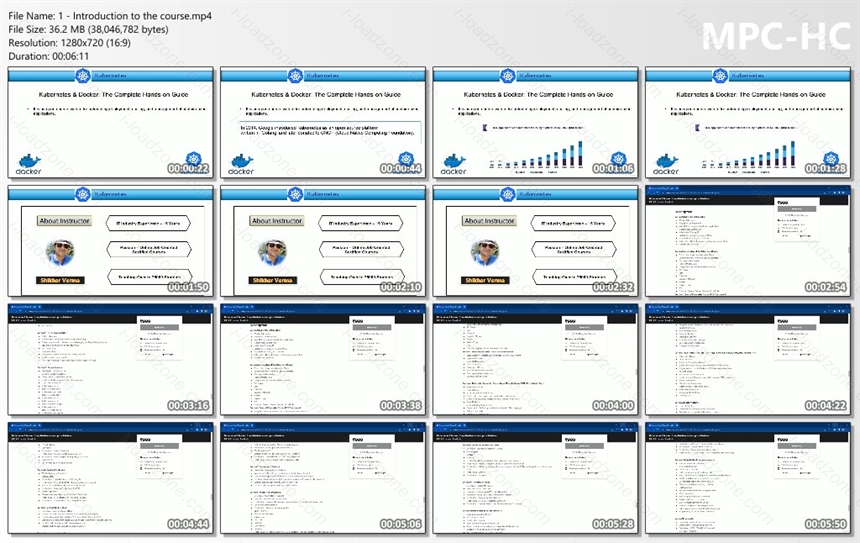
ข้อมูลไฟล์ (File Info)
License : FOR EDUCATIONAL PURPOSES ONLY
ชื่อไฟล์ : Kubernetes Docker The Complete Handson Guide.rar
ขนาดไฟล์ : 3.34 GB
นามสกุลไฟล์ : *.rar
Server : Google Drive
วันที่อัพโหลด : 24/04/2023
แก้ไขล่าสุด : 24/04/2023
รหัสผ่าน : sbz
โปรดระวังโฆษณาเด้งไปหน้าอื่น เช็คชื่อไฟล์, ขนาดไฟล์ ก่อนดาวน์โหลดทุกครั้ง
Buy
ดาวน์โหลด
รหัสแตกไฟล์คือ sbz
วิธีดาวน์โหลด วิธีแก้ลิ้งค์เกินโควต้า