GRAPHISOFT Archicad 29.0.1 for Mac (Intel) โปรแกรมออกแบบอาคาร 3D สำหรับ Mac
ดาวน์โหลด โปรแกรม GRAPHISOFT Archicad 29.0.1 for Mac (Intel) โปรแกรมออกแบบอาคารบ้านเรือน 2D / 3D ฟรี

ดาวน์โหลด GRAPHISOFT Archicad 29 ล่าสุด for Mac (Intel) โปรแกรมออกแบบอาคาร 3D สำหรับ Mac
GRAPHISOFT Archicad 29 สำหรับ Mac คือซอฟต์แวร์ออกแบบสถาปัตยกรรมและงาน BIM (Building Information Modeling) ระดับมืออาชีพ ที่ช่วยให้สถาปนิกและทีมออกแบบสร้างโมเดลอาคารแบบ 3D พร้อมข้อมูลก่อสร้างได้อย่างเป็นระบบ ตั้งแต่การวางผัง (Floor Plan) ขึ้นรูปอาคาร (3D Modeling) ไปจนถึงการจัดทำแบบก่อสร้างและเอกสารประกอบ (Construction Documentation) ในโปรแกรมเดียว Archicad 29 บน macOS ถูกออกแบบให้ทำงานลื่นไหลบนเครื่อง Mac พร้อมอินเทอร์เฟซที่ใช้งานง่าย เหมาะสำหรับงานออกแบบบ้าน อาคารสำนักงาน คอนโด รีสอร์ท และโครงการสถาปัตยกรรมทุกขนาด โดยเน้นความแม่นยำ ลดงานซ้ำ และเพิ่มความเร็วในการทำงานด้วยเวิร์กโฟลว์ BIM ที่ครบวงจร
จุดเด่นของ GRAPHISOFT Archicad 29 Mac คือความสามารถในการทำงานแบบ “โมเดลเดียว ได้ทั้งแบบและปริมาณ” เมื่อคุณแก้ไขโมเดล 3D รายการแบบ 2D, รูปด้าน, รูปตัด, ตารางวัสดุ และเอกสารต่างๆ จะอัปเดตตามแบบอัตโนมัติ ช่วยลดความผิดพลาดและประหยัดเวลาอย่างมาก นอกจากนี้ยังโดดเด่นด้านการนำเสนอ (Visualization) ด้วยมุมมอง 3D ที่ดูสมจริง การจัดฉาก วัสดุ แสงเงา และการเรนเดอร์/พรีวิวงานเพื่อใช้เสนอแบบกับลูกค้าได้อย่างมืออาชีพ เหมาะกับทั้งการทำงานเดี่ยวและการทำงานเป็นทีมในโปรเจกต์จริง
สำหรับงานร่วมทีม Archicad 29 รองรับการประสานงานกับซอฟต์แวร์อื่นผ่านมาตรฐานไฟล์ BIM ที่นิยม เช่น IFC รวมถึงการทำงานร่วมกันระหว่างทีมสถาปัตย์ วิศวกร และผู้รับเหมา เพื่อให้การส่งต่อข้อมูลเป็นไปอย่างราบรื่น ช่วยให้การออกแบบ ควบคุมรายละเอียด และจัดการงานก่อสร้างมีประสิทธิภาพมากขึ้น หากคุณกำลังมองหาโปรแกรม BIM บน Mac ที่เหมาะกับงานสถาปัตยกรรมโดยตรง ใช้ทำแบบก่อสร้างได้จริง และเพิ่มความเร็วในการทำงาน GRAPHISOFT Archicad 29 Mac คือหนึ่งในตัวเลือกยอดนิยมสำหรับสาย Architect, BIM Modeler และงานออกแบบอาคารระดับมืออาชีพ
คุณสมบัติเด่น (Key Features)
I. AI-Powered Features and Support
-
AI Assistant (BETA): A fully integrated chatbot providing intelligent prompts, model queries, and expert guidance directly within Archicad to support users throughout the project lifecycle.
-
AI Visualizer 2.0: Allows users to create and edit high-quality rendering images by using text prompts to change materials, backgrounds, and form, complete with a before-and-after comparison tool.
II. Design and Modeling Enhancements
-
Integrated MEP Designer: A new, complete solution for Mechanical, Electrical, and Plumbing (MEP) engineers to create detailed 2D and 3D system layouts within the Archicad BIM environment.
-
Direct Input Openings in Section/Elevation: Users can now place all types of openings directly in Section, Elevation, and Interior Elevations views, allowing for more precise placement on any element, including slanted walls.
-
Quickly Rotate Elements: Instant 90° rotation of selected elements using simple keyboard shortcuts for a faster modeling workflow.
-
Kitchen Cabinet Improvements: Provides enhanced flexibility and user-driven improvements for designing kitchen cabinet elements.
III. macOS Specific Performance and Interface
-
Dark Mode on macOS: Introduces a seamless Dark Mode workspace option for a more comfortable, tailored visual experience.
-
Optimized for Apple Silicon (M3 Chip): The software is optimized to take full advantage of the latest M3 chips, resulting in significant performance gains, including:
-
Up to 2.5X faster file opening.
-
Up to 3X faster section generation and display.
-
Up to 3X faster documentation layout update and display.
-
Up to 2X faster rendering using Cineware and Redshift engines.
-
IV. Documentation and Workflow
-
Control Resolution for 3D Views: Easily set and control the DPI for 3D views placed on layouts to ensure sharp, high-quality documentation output.
-
Renovation Status for Markers: Allows the assignment of a renovation status to markers (e.g., Section, Elevation, and Interior Elevation Markers) to fully control their visibility in different phases of the renovation filter.
-
Improved Formatting for Interactive Schedules: Offers enhanced formatting controls, including customizable text, colors, and cell-level settings for clearer data presentation.
-
Filter and Select Unused Views: Provides a quick way to find and manage project views that are not used on any layout, helping to keep the project file organized and tidy.
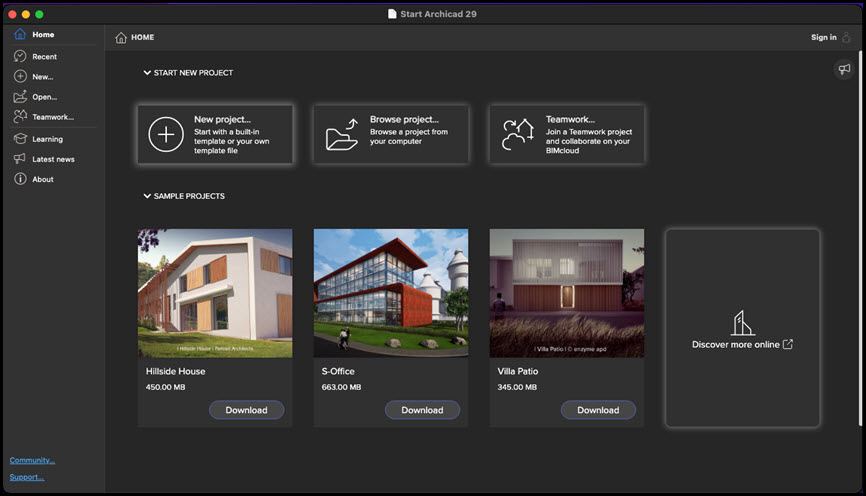
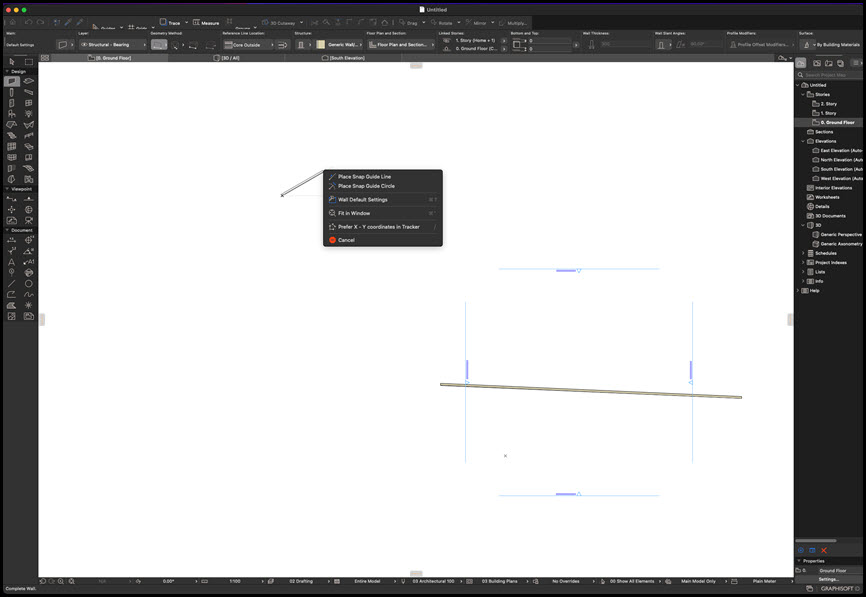
ภาพตัวอย่างโปรแกรม (Screenshots)
ความต้องการของระบบ (System Requirements)
CPU : Intel x64 multi-core processor
RAM : 8 GB
HDD : 5 GB
Display : 1024 x 768 pixels or Higher
GPU : 2+ GB VRAM OpenGL , 4.5 compatible graphics cards
Full System Requirements
ข้อมูลไฟล์ (File Info)
License : Trial
Software Version : 29.0.1 Build 3100
ชื่อไฟล์ : GRAPHISOFTA29.0.1M(I).rar
ขนาดไฟล์ : 5.16 GB
นามสกุลไฟล์ : *.rar
Server : Google Drive
วันที่อัพโหลด : 10/12/2025
แก้ไขล่าสุด : 10/12/2025
รหัสผ่าน : sbz
โปรดระวังโฆษณาเด้งไปหน้าอื่น เช็คชื่อไฟล์, ขนาดไฟล์ ก่อนดาวน์โหลดทุกครั้ง
Buy
ดาวน์โหลด
รหัสแตกไฟล์คือ sbz
วิธีดาวน์โหลด วิธีแก้ลิ้งค์เกินโควต้า
" This file is for trial/educational and non-commercial use only. Using non-genuine software may cause various problems to use this software without any problems Please purchase a genuine license from the official website. "