ดาวน์โหลด ESET NupDown Tool ล่าสุด ตัวติดตั้งอัพเดท ESET
ดาวน์โหลด โปรแกรม ESET NupDown Tool 3.1.0.0 (3 January 2026) เครื่องมือดาวน์โหลดฐานข้อมูล ESET ฟรี

ดาวน์โหลด ESET NupDown Tool ล่าสุด ตัวติดตั้งอัพเดท ESET
ESET NupDown Tool คือเครื่องมือเสริมอย่างเป็นทางการจาก ESET ที่พัฒนาขึ้นมาเพื่อช่วยแก้ไขปัญหาการ อัปเดตฐานข้อมูลไวรัส (Virus Signature Database) ของโปรแกรม ESET บนระบบ Windows โดยเฉพาะ เหมาะสำหรับกรณีที่โปรแกรม ESET ไม่สามารถอัปเดตได้ตามปกติ เช่น เกิดข้อผิดพลาดในการเชื่อมต่อเซิร์ฟเวอร์ อัปเดตค้าง หรือไฟล์อัปเดตเสียหาย เครื่องมือนี้จะช่วยดาวน์โหลดไฟล์อัปเดตโดยตรงจากเซิร์ฟเวอร์ของ ESET แล้วนำไปติดตั้งด้วยตนเองอย่างปลอดภัย
คุณสมบัติเด่น (Key Features)
1. This tool supports ESET virus database download tools and server setup.
2. Downloads virus databases from the ESET official website to the local computer. The ESET update address is the local virus database path, enabling ESET software virus database updates.
3. One-click activation of the HTTP server function, allowing the local virus database to be used by other computers on the intranet or for port mapping for use by other users on the external network.
4. A new local configuration file, setup.ini, allows users to customize configuration parameters to meet different user needs.
5. Uses the official website’s domestic update source by default, providing faster download speeds for domestic users.
6. This tool requires wget.exe. Usage (Running Directory)
7. This tool and virus database can be stored in any folder (configure according to setup.ini; see post #2 or the attachment for usage instructions).
8. For convenient full functionality, use with the Jingrui ESET special version.
Simplified Usage Instructions:
1. In ESET’s advanced settings, point the update address to the folder where this tool runs (e.g., C:\ProgramData\ESET\eset_upd; if HTTP service is enabled, point to http://127.0.0.1:2221/).
2. Exclude the folder where this tool runs in ESET’s advanced settings.
3. Refer to the attachment for detailed instructions.
4. If you still don’t understand, you can download and install the Jingrui integrated NupDown tool special version (easy installation).
PS:
1. NupDown may be deleted by some antivirus software such as ESET (including Windows Defender). Before use, temporarily disable your antivirus software or exclude the program’s running folder.
2. See post #2 for setup.ini file configuration instructions (or usage instructions in the attachment).
3. To slim down the virus database, delete the dll folder to clean up the accumulated virus database from the old version, and then update it again (keeping nupdown.exe, wget.exe, and setup.ini will allow it to run normally; setup.ini will be automatically generated after deletion). Version 3.0.0.0 no longer generates accumulated virus database update files.
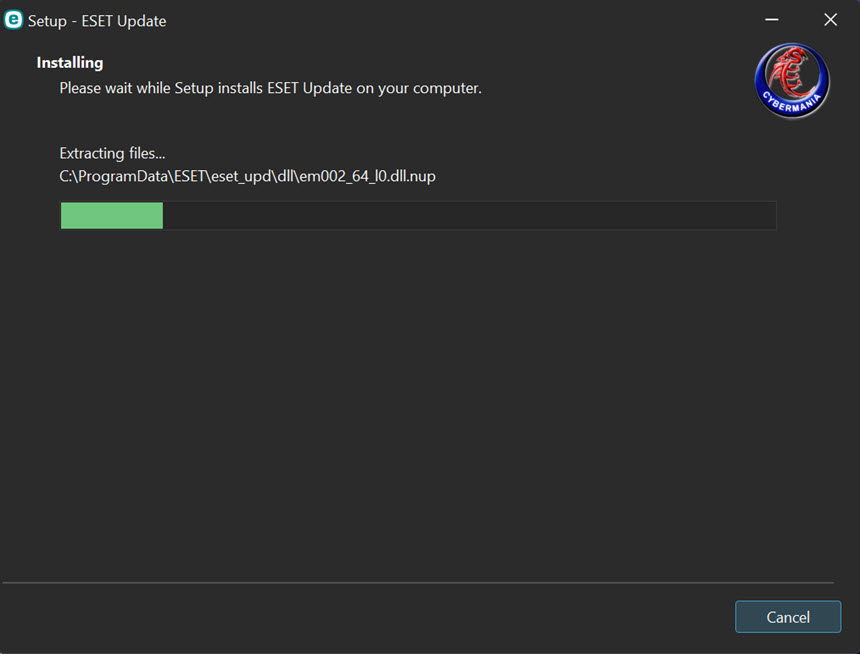
ภาพตัวอย่างโปรแกรม (Screenshots)
ความต้องการของระบบ (System Requirements)
Internet.
ข้อมูลไฟล์ (File Info)
License : Free
Software Version : 3.1.0.0 (3 January 2026)
ชื่อไฟล์ : ESETNDT3.1.0.0(3J2026).rar
ขนาดไฟล์ : 749 MB
นามสกุลไฟล์ : *.rar
เซิฟเวอร์ : Pixeldrain | MediaFire
วันที่อัพโหลด : 04/01/2026
แก้ไขล่าสุด : 04/01/2026
รหัสผ่าน : sbz
Cr. cybermania
โปรดระวังโฆษณาเด้งไปหน้าอื่น เช็คชื่อไฟล์, ขนาดไฟล์ ก่อนดาวน์โหลดทุกครั้ง
ดาวน์โหลด
รหัสแตกไฟล์คือ sbz
วิธีดาวน์โหลด วิธีแก้ลิ้งค์เกินโควต้า